Browser automation. You in control.

Browser Mate handles the tedious work.
You have the final say.

A browser agent that acts for you — inside your browser, with your chosen model, and no Browser Mate server in the middle.

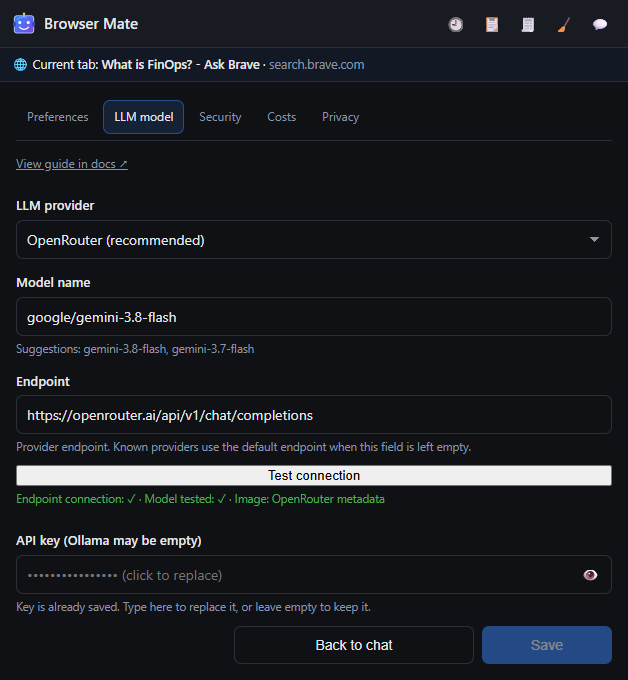
Choose your AI provider and use your own API key: OpenAI, Anthropic, Google, OpenRouter, or local models via Ollama/LM Studio.

Actions run in your browser Your key, your provider
Confirm before acting Cost estimation
1-minute demo · with sound

A look inside

Screenshots

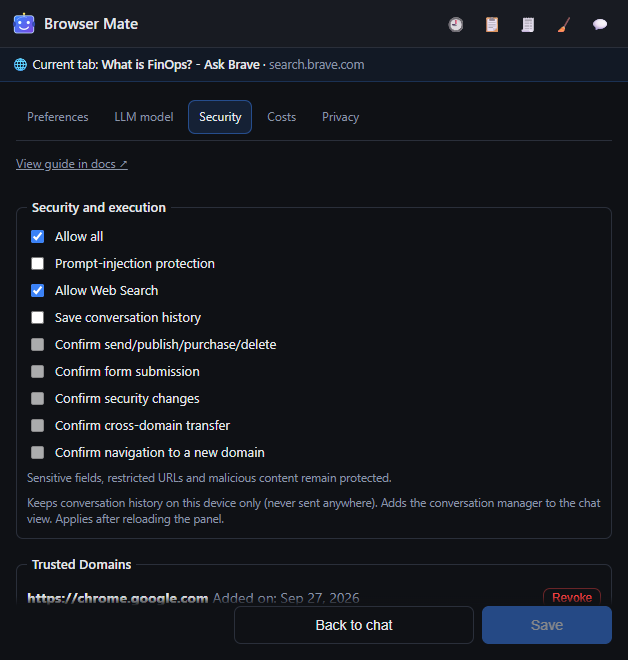
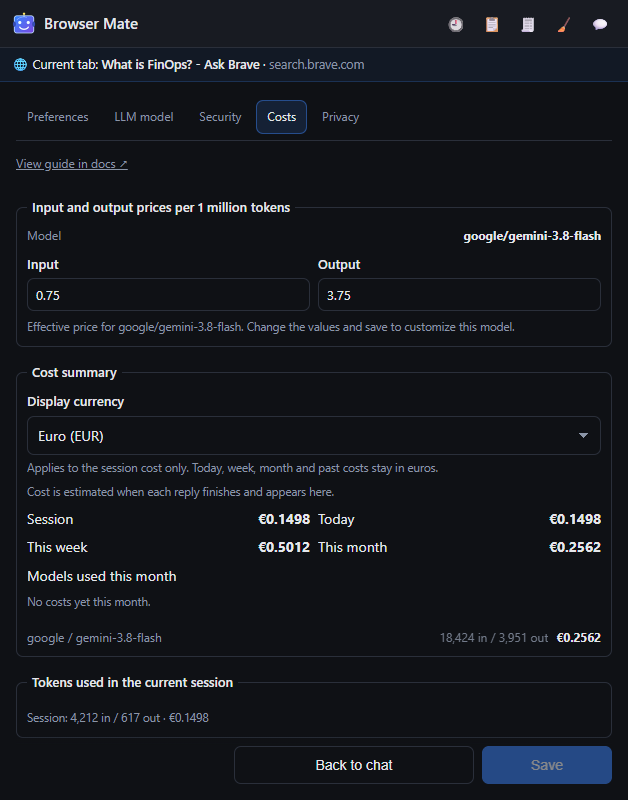
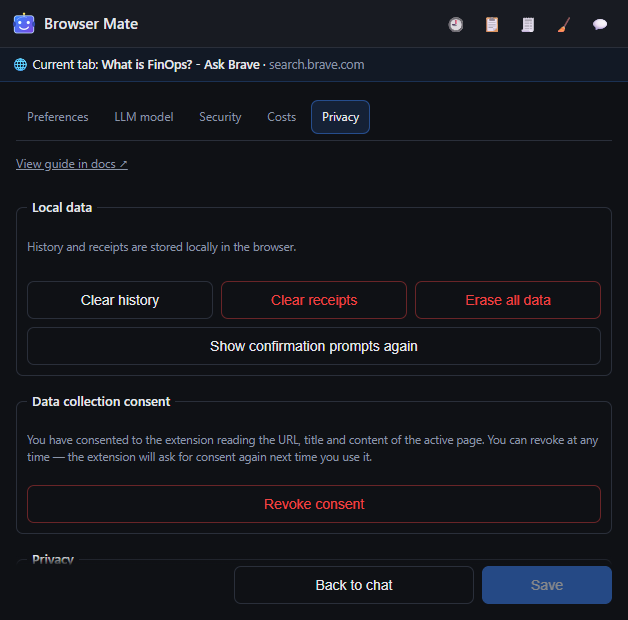
Explore Browser Mate’s key views, from the execution plan to security and cost settings.

Browser Mate capabilities

What can Browser Mate
do for you?

From navigation to final confirmation, follow every step — so you can automate tasks without losing visibility or control.

01 / NAVIGATION

Browser navigation & control

  • Navigate to URLsOpen web pages via HTTP or HTTPS addresses.
  • Manage tabsSwitch between tabs to compare information or continue multi-page workflows.
  • Scroll & positionMove through the page to reach sections and dynamically loaded content.
02 / INTERACTION

Web element interaction

  • ClickActivate buttons, links, menus, checkboxes, options, and other interactive elements.
  • Type & fillEnter text into forms, search bars, filters, and comment boxes.
  • Handle iframesInteract with embedded content such as external widgets and forms.
  • Wait for the right momentWait until asynchronous elements are ready before running the next step.
03 / ANALYSIS

Data extraction & analysis

  • Extract text & dataRead visible content from a page or specific elements like tables, lists, prices, and summaries.
  • Inspect visuallyCapture the current view to validate states, check layouts, or verify the outcome of an action.
04 / SECURITY

Built-in safety & control

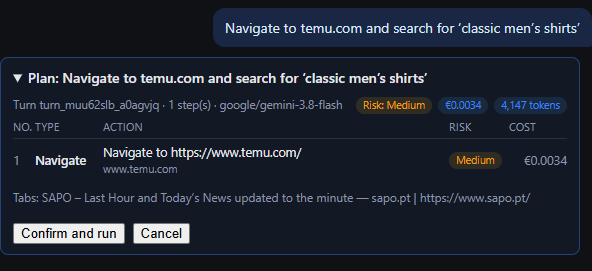
  • See the plan before executionThe sequence of actions is shown upfront so you know what the agent intends to do.
  • Confirm sensitive actionsRequire explicit approval before submitting forms, deleting data, making transactions, or causing consequential changes.
Try the interactive Prompt Injection demo

Easy to follow

From request to result.
No hidden leaps.

  1. 01

    Say what you need

    Describe your task in plain language instead of clicking through every step manually.

  2. 02

    Review the plan & costs

    The agent shows the planned action sequence before execution along with an estimated provider cost.

  3. 03

    Confirm what’s sensitive

    Approve, adjust, or cancel whenever a task requires an important action.

  4. 04

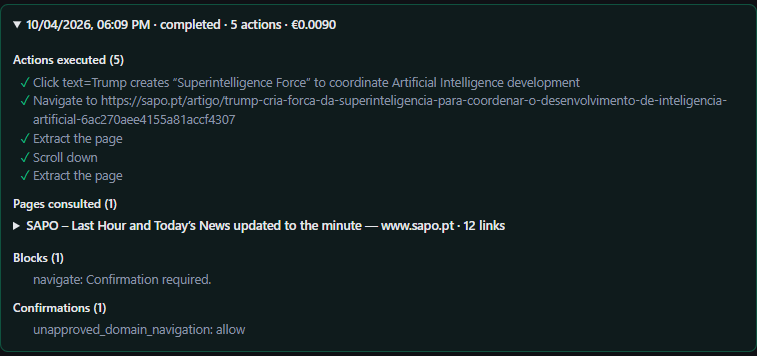
    Verify the outcome

    At the end, you get a redacted receipt of what happened and what it cost.

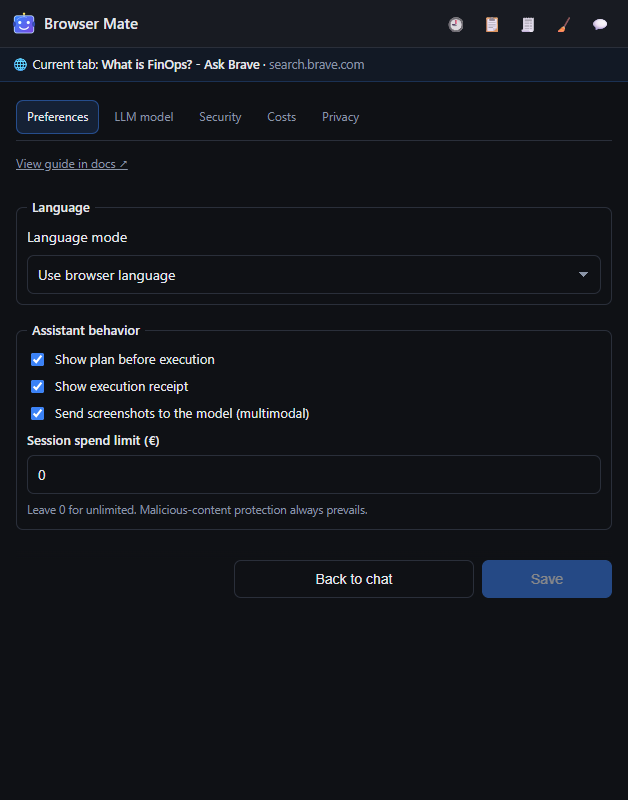
Execution plans, action cost estimates, and execution/cost receipts can be toggled in settings.

Clear boundaries, by design

What we don’t do
matters too.

Our promise is verifiable control — not a claim that AI never fails.

Read the website privacy policy

The extension uses the permissions required to interact with web pages. Check the store listing and the extension privacy policy for security details and boundaries. For step-by-step setup, cost tracking, and local models, see the Browser Mate documentation.

✳ Price transparency

The beta is free.
And we tell you upfront what comes next.

When the paid version launches, continuing to use Browser Mate will require a subscription. There is no announced date yet — and there will never be a switch without prior notice.

  • ✓ Notice by email and inside the extension at least two weeks in advance.
  • ✓ Your settings, encrypted API key, and local history will not be deleted.
  • ✓ Beta participants will receive a founder discount coupon.
Planned monthly price
€1/ month

The planned price to continue using Browser Mate after the beta. No start date promised.

Install on Chrome Free during beta · no commitment now

By sending, we use your name and email only to reply to your message. They are never added to marketing lists. Read the website privacy policy.